← Back to Blogs
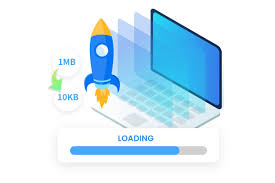
What is an Image Compressor?
- An image compressor reduces the file size of images while preserving visual quality.
- Compression can be lossless (no data lost) or lossy (some data sacrificed for smaller size).
- Common image formats affected: JPEG, PNG, WEBP, GIF, and SVG.
Why compress images for the web?
- Faster page load times — smaller files download more quickly for users.
- Lower bandwidth and hosting costs — reduced transfer and storage usage.
- Improved SEO and user engagement — pages that load faster rank better and keep visitors longer.
How an image compressor works
Automatic optimizations
- Resizing large images to appropriate display dimensions.
- Removing unnecessary metadata (EXIF, color profiles).
- Adjusting quality/compression ratios based on format.
Format conversion
- Converting PNG or JPEG to modern formats like WEBP to gain smaller sizes at similar quality.
- Choosing the right format per image type (photographs vs. graphics with flat colors).
Best practices when compressing images
- Choose the correct dimensions: match image resolution to display size — do not upload massively larger files.
- Prefer modern formats (WEBP or AVIF) when browser support and CMS allow it.
- Test visually: compare original and compressed images at the intended display size to ensure acceptable quality.
Workflow example: Compressing images for a website
- Step 1: Export the image from your editor at the target pixel dimensions.
- Step 2: Run a compressor to strip metadata and choose an appropriate quality level.
- Step 3: Convert to WEBP when suitable, then test across devices and browsers.
How Doccraft.pro helps
- Doccraft.pro provides a fast, web-based image compressor tool for quick optimization tasks.
- Upload an image, select quality or format options, and download the optimized file.
- Use compression together with responsive image techniques to maximize performance.
Quick checklist before publishing
- Verify image dimensions match your page layout.
- Confirm file format and quality settings produce acceptable visual results.
- Ensure responsive image markup or lazy-loading is implemented where needed.
Try it now
- Optimize your images on Doccraft.pro before you publish to get faster pages and better SEO.